GPS Voice Map: Live Navigation | Voice GPS, Traffic & EV Charging Stations
GPS Voice Map: Live Navigation by Nova Apps Studios is the GPS application you're likely looking for.
Key Details:
Developer: Nova Apps Studios
Platform: Android (Google Play Store)
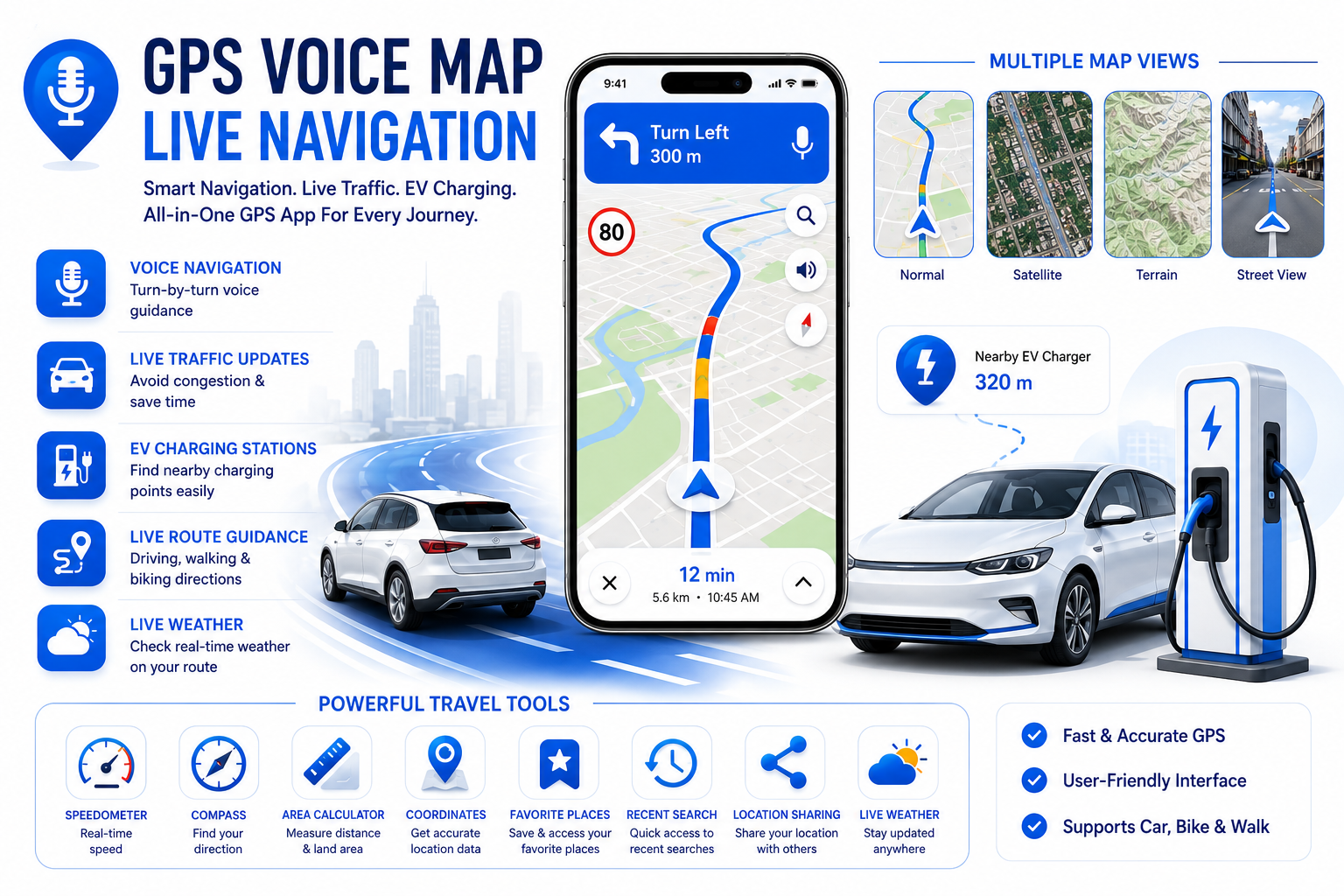
Description: It's a full-featured GPS navigation app with voice guidance, live navigation, route planning, and EV charging station finder. It helps avoid congestion and provides driving directions.
Downloads: 100K+
Features (from the store listing):
Voice navigation
Live route guidance
Find nearby EV charging stations
Real-time traffic avoidance
Google Play Link: GPS Voice Map: Live Navigation
Nova Apps Studios has several other apps (like cloud storage, caller ID, etc.), but this is their primary GPS/navigation one.
Main Features of GPS Voice Map: Live Navigation (by Nova Apps Studios)
Here are the key features of the app based on its official Google Play listing:
Core Navigation Features
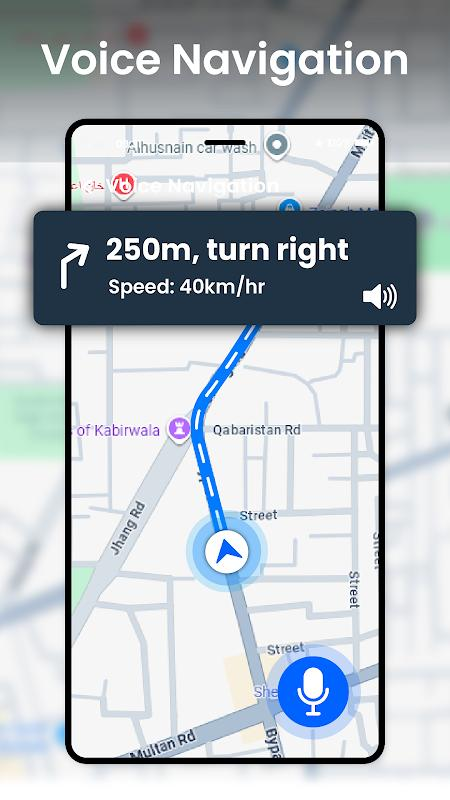
Voice Navigation — Clear turn-by-turn voice guidance
Live Navigation & Route Planner — Real-time driving, walking, and biking directions
Live Traffic Updates — Avoid congestion and find the fastest routes
EV Charging Stations Finder — Locate nearby electric vehicle charging points
Map & View Options
Live Maps & Satellite View — Switch between normal, satellite, terrain, and street views
Accurate GPS Location — Fast and reliable positioning
Additional Tools
Area Calculator & Map Tools — Measure land, distance, and areas (useful for real estate, farming, construction, etc.)
Speedometer — Real-time speed display
Compass & Coordinates — Built-in compass and location coordinates
Save Favorite Places — Bookmark frequently visited locations
Recent Search History — Quick access to previous destinations
Easy Location Sharing — Share your location with others
Live Weather — Check weather along your route
Other Highlights
Simple and user-friendly interface
Fast GPS performance
Supports multiple travel modes (car, bike, walk)
The app is designed as an all-in-one GPS solution focused on voice-guided navigation, traffic avoidance, and useful travel tools like EV station discovery and map measurement.
- Core Navigation Features (Voice + Live Navigation)
These are the main tools for getting turn-by-turn directions:
Voice Navigation — Hands-free turn-by-turn guidance
Live Route Guidance — Real-time directions for driving, walking, or biking
Live Traffic Updates — Automatically avoids congestion
How to Use Core Navigation:
Open the App → Grant location, microphone, and notification permissions (important for voice & live tracking).
Search for Destination:
Tap the search bar at the top.
Type the address or place name, or use the Voice Command button (microphone icon) to speak your destination.
Choose Route:
The app will show multiple route options with estimated time and traffic info.
Select your preferred route.
Start Navigation:
Tap Start or Go.
Voice guidance will activate automatically (e.g., “Turn left in 300 meters”).
You can speak commands like “Take alternate route”, “Add stop”, or “Mute voice” while navigating.
During Navigation:
Real-time traffic rerouting happens automatically.
You’ll see upcoming turns, distance, and ETA at the top.
Tap the screen for options like Stop Navigation, Add Stop, or Change View.
- Map & View Options
Live Maps
Satellite View
Terrain View
Street View (where available)
How to Switch Map Views:
While on the main map screen (before or during navigation), look for the Layers icon (usually stacked squares or a map icon) in the top-right or bottom corner.
Tap Layers / Map Type.
Choose from:
Normal / Default Map — Standard road view
Satellite — Real aerial imagery
Terrain — Shows elevation and land features
Street View — 360° ground-level view (tap on blue lines if available)